
Transfer Bridge
From AI Recommendation to Human Decision
An interactive system designed for consultants to bridge the gap between scientific data and actionable business strategies, with a focus on usability and explainability to build user trust.
Context
I collaborated with the Chair of Service Development in SMEs and Crafts at the University of Siegen, working closely with a PhD researcher to design the first UX iterations of Transfer Bridge, an AI powered knowledge transfer system that connects academic research and SME data to generate actionable insights.
Role
UX Researcher and Designer
Duration
3 months
Tools
• Figma
• MAXQDA
• LiGRE
• NotebookLM
Platform
Desktop
Stakeholders
• Project Director
• Project Manager
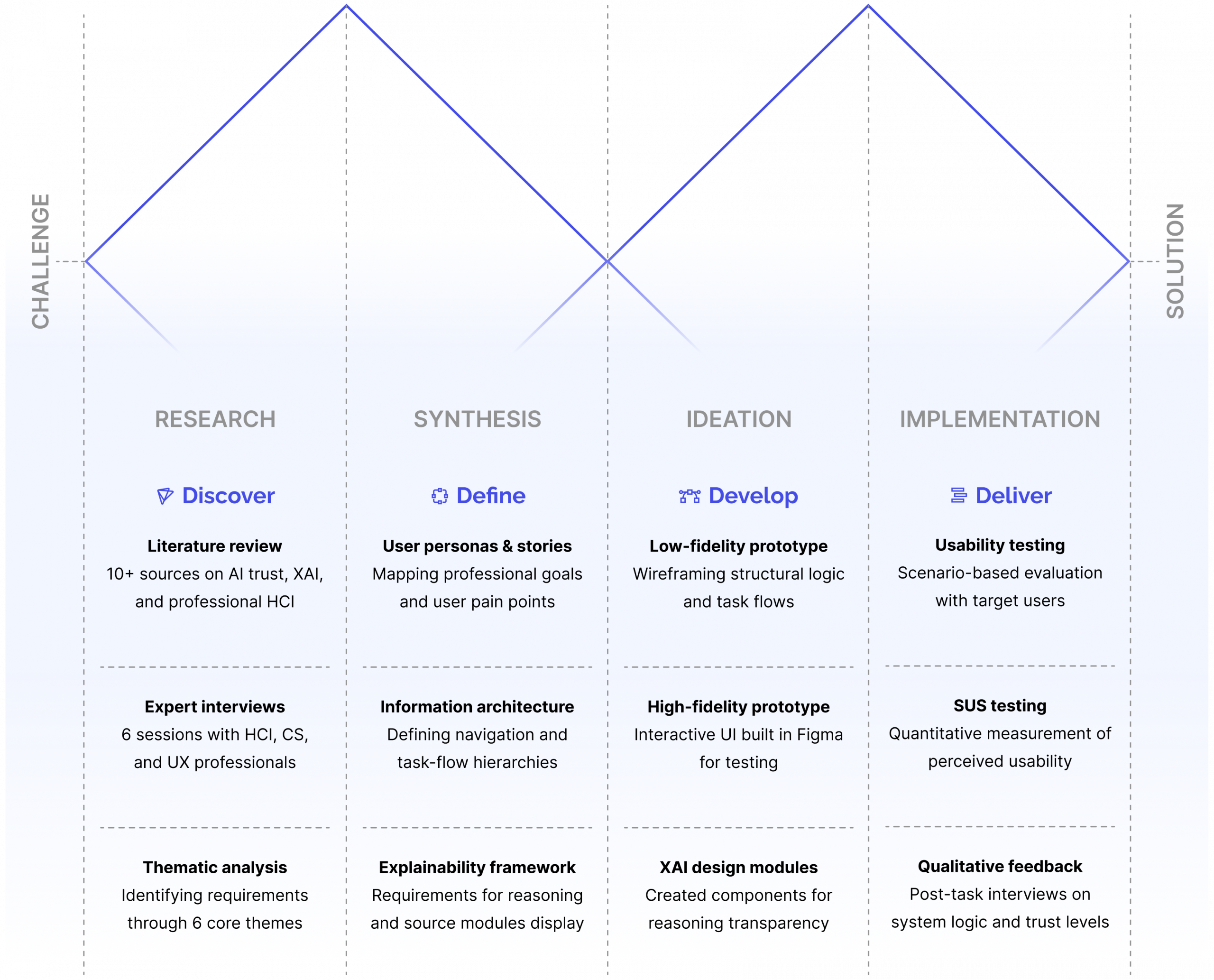
• Literature review
• Expert interviews
• Thematic analysis
• Usability testing
Process Overview and Activities
For this project I followed the double diamond framework.
Discovery
Challenge
Transfer Bridge needed to turn complex academic and SME data into insights that consultants could quickly understand, trust, and use. The core challenge was to design an initial interface that balanced AI capability with clarity, transparency, and low effort for non-technical users.
Main pain points
Cognitive overload: Unpredictable, context-dependent interactions overwhelmed non-technical users like consultants.
Lack of explainability: Without visibility into the reasoning behind recommendations or sources, users had no basis to trust, act on, or verify the system’s results.
Low affordance: Users did not understand what the tool could do, what each section was for, or what kind of input worked best. A FOMO-like feeling was reported.
Quantifying insights: the user needs
To ground the design in empirical data, I analyzed 74 fragments from six expert interviews. The results highlighted two key drivers of adoption:
• Usability and simplicity (46%)
• Explainability (32%)
Summary: The research pointed to a simple, consistent interface, transparent sources to build trust, and clear affordances so users understand the tool’s capabilities. The experts came from design, HCI, and computer science.

Define
The first prototype iteration defines four core functions consultants need to run a client case from input to delivery.
Interface and Interaction
A consistent, cue driven interface that supports the full consultation workflow.
Explainability Features
A module that shows AI reasoning, sources, and logic for consultant validation.
Structured Context Input
A guided form flow for capturing company profile, goals, and proprietary data.
Retrieval and Sharing
Flexible export and sharing options so consultants can distribute outputs in the formats clients need.
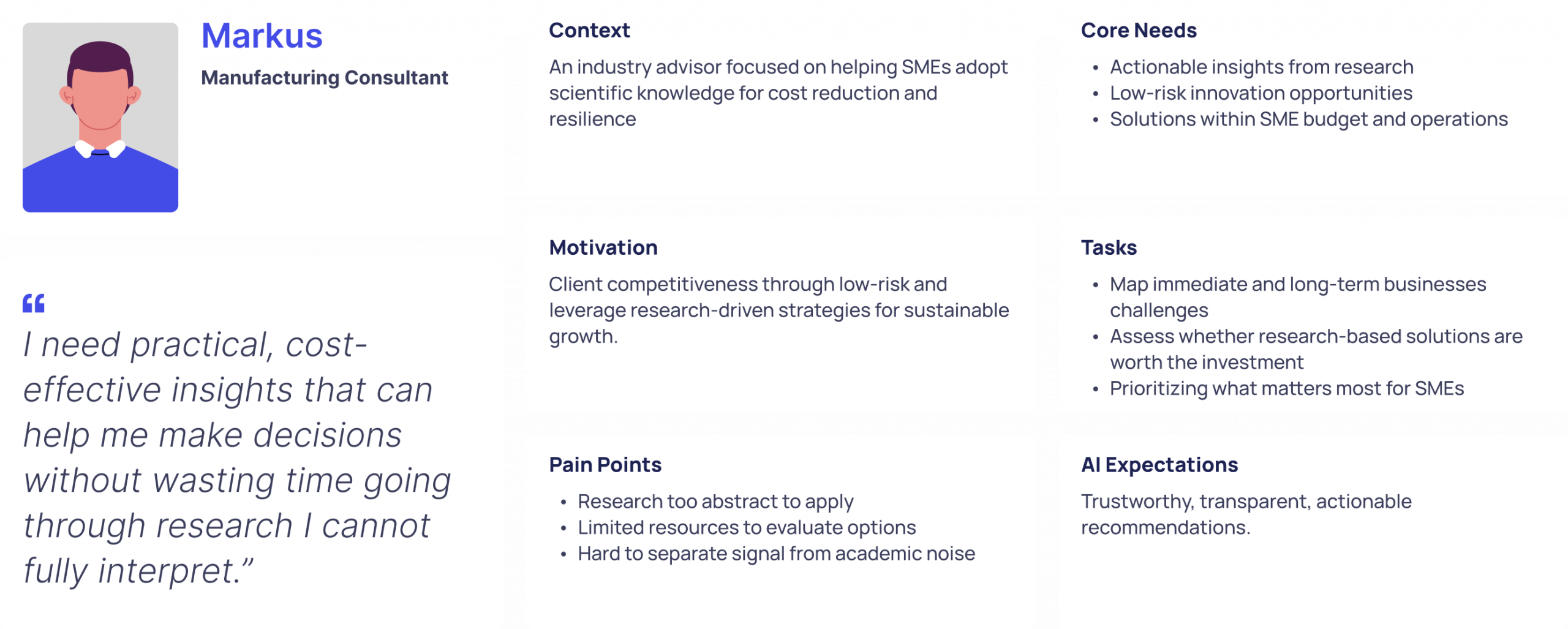
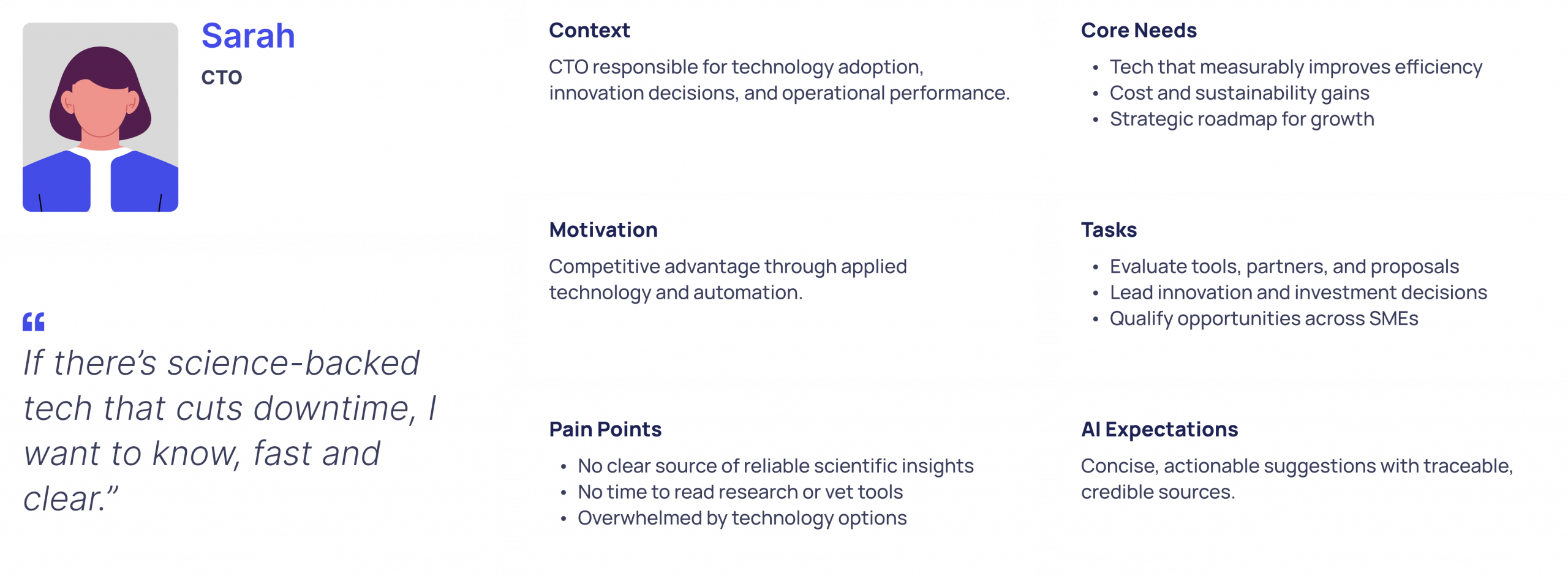
To better capture user needs and pain points from the semi-structured expert interviews and desk research findings, I identified two distinct persona behavior patterns.
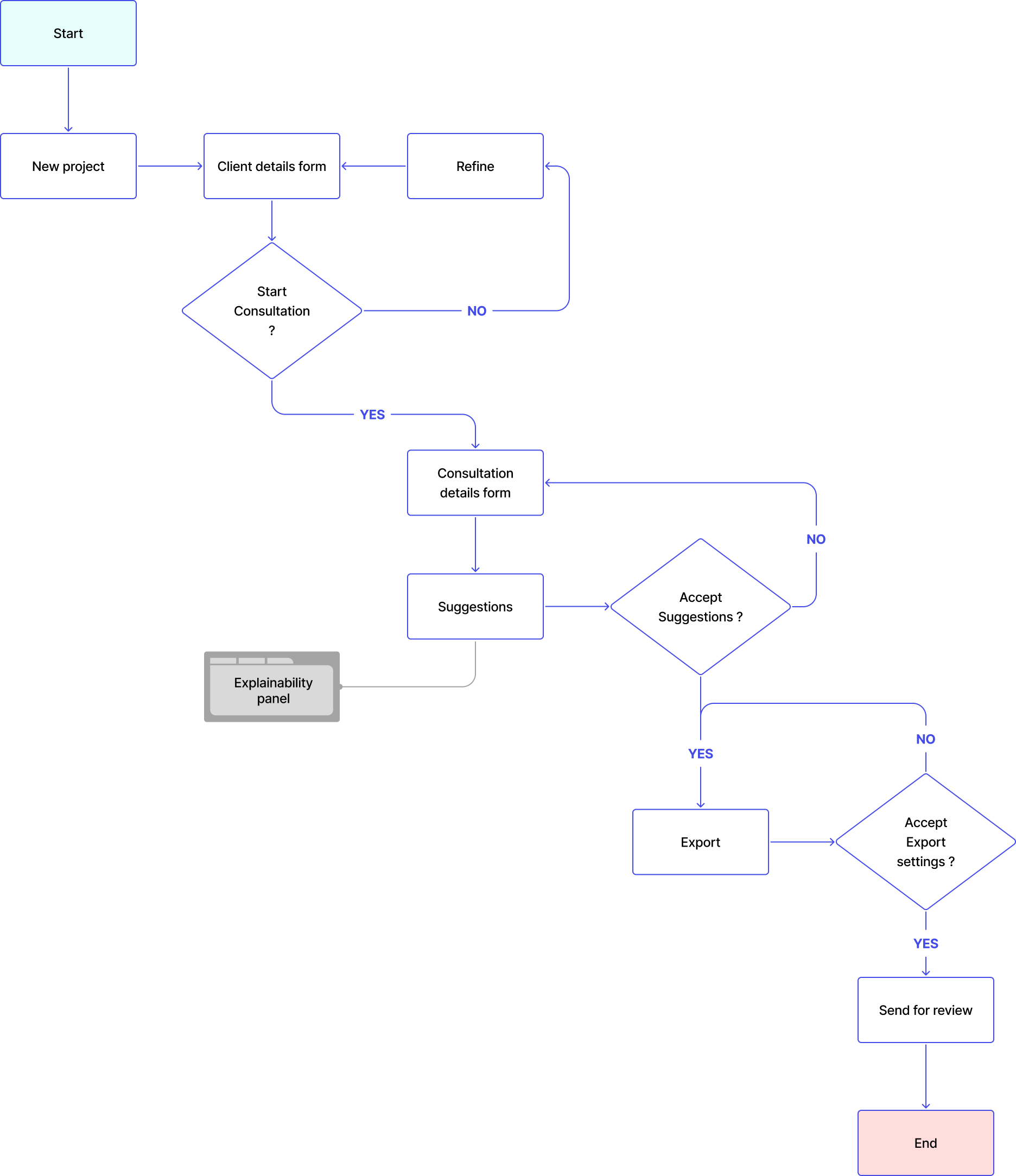
This flow turns the core insights into a practical roadmap. It adds iterative refine loops and a dedicated panel for validating AI reasoning and sources.
Develop
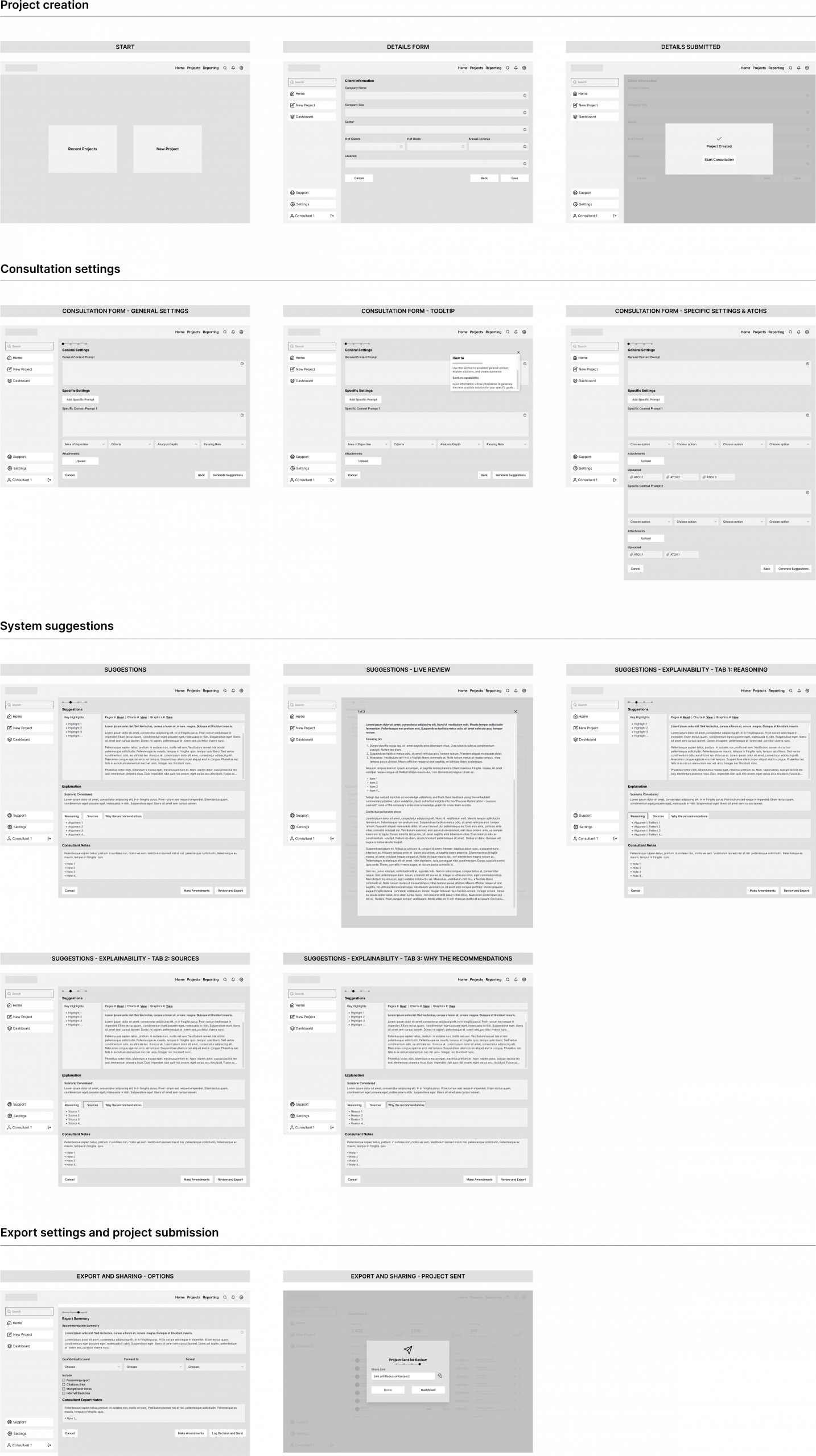
Low-fidelity wireframes mapped the information architecture, navigation flow, and key interactions across core tasks: starting projects, entering client details, viewing outputs, and exporting results.
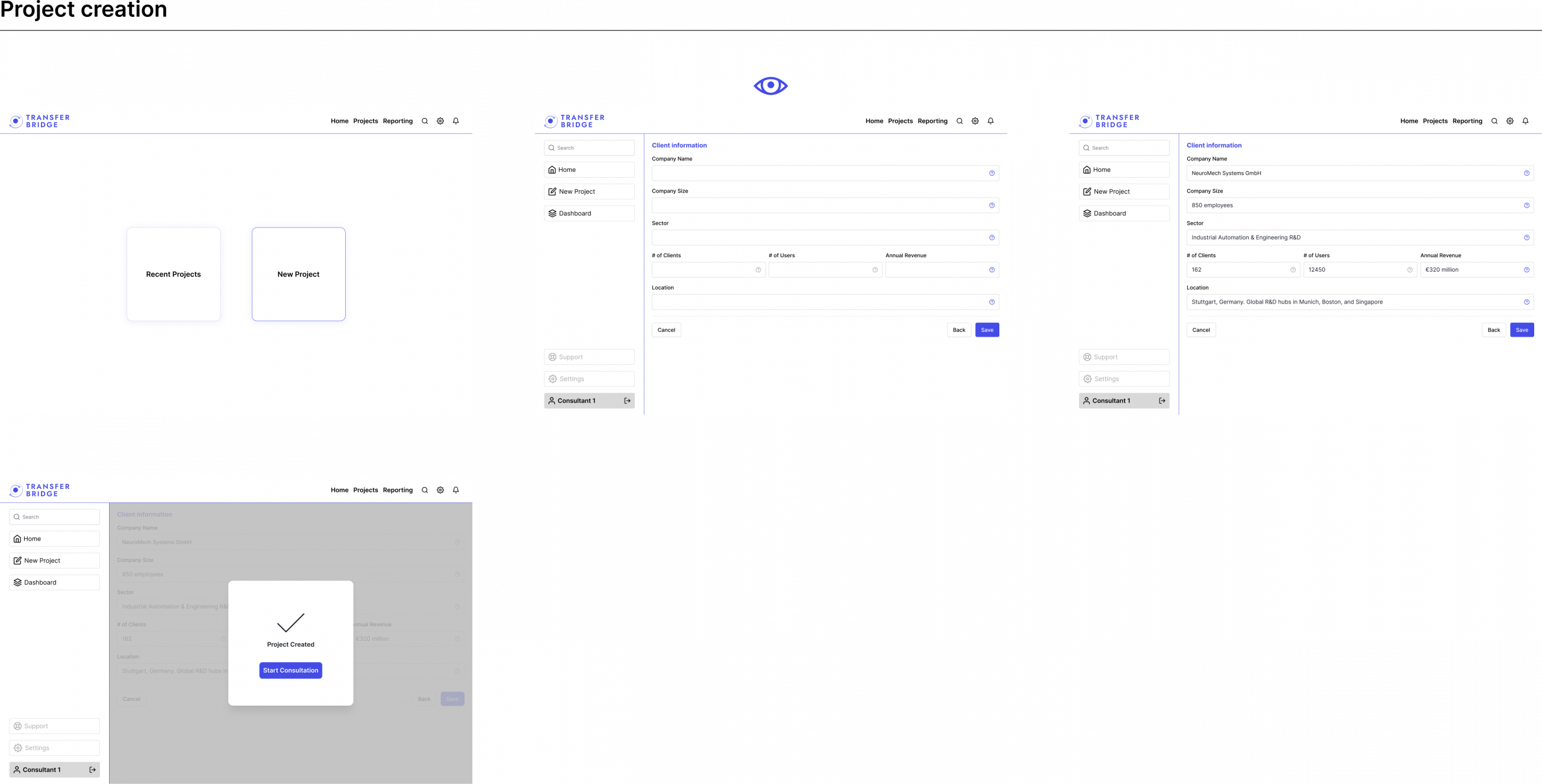
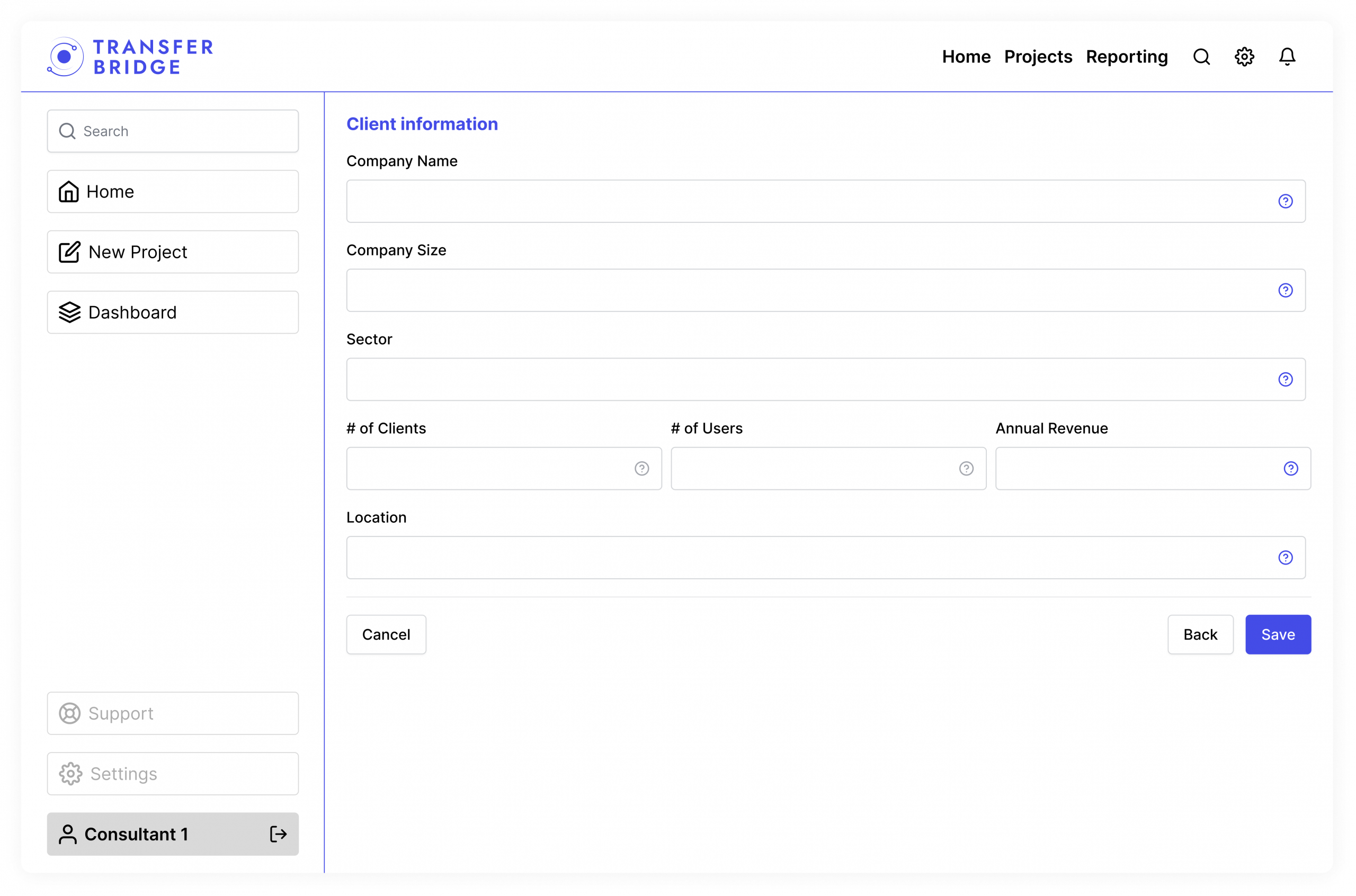
Client information form
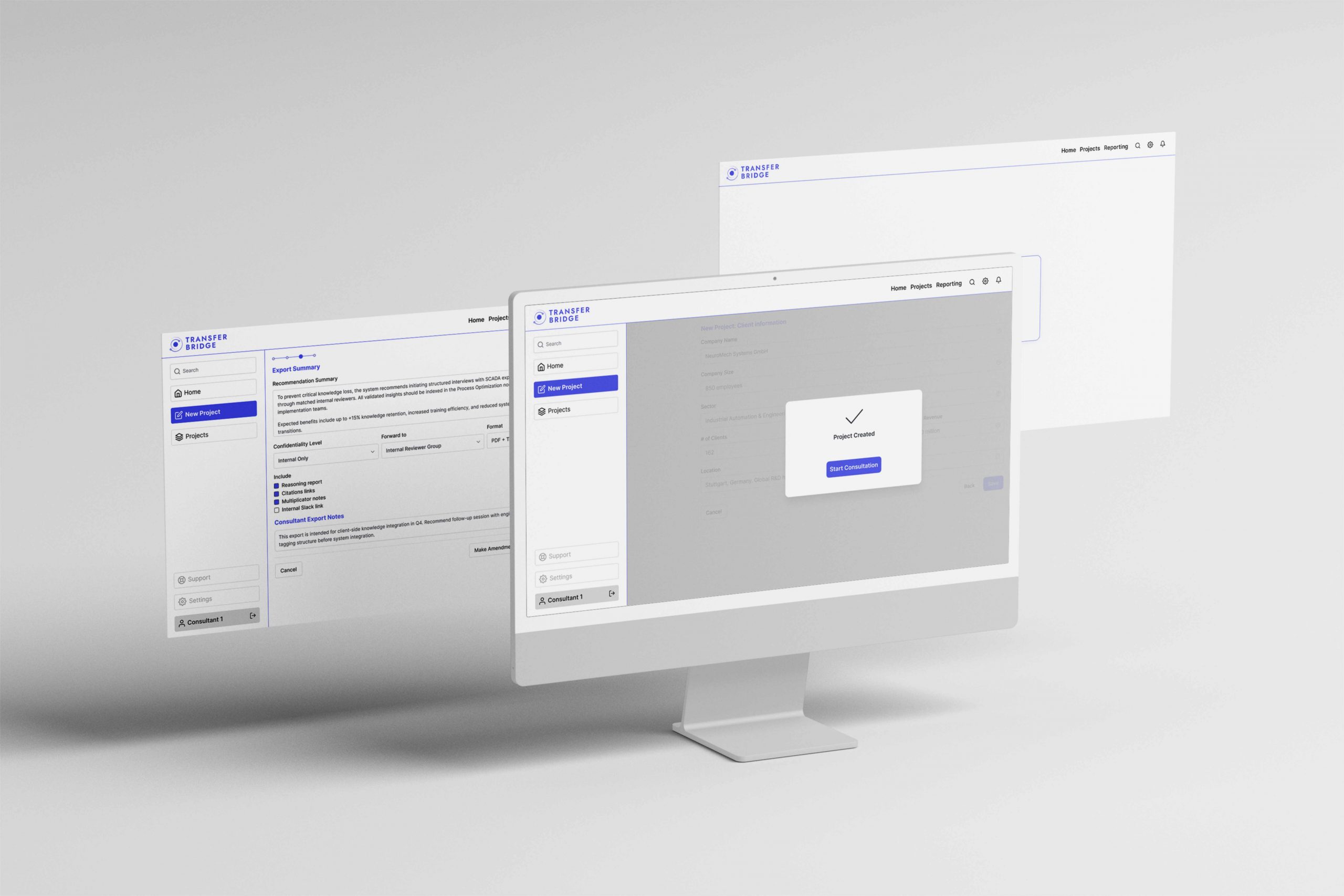
This screen collects key SME details in a structured flow, helping consultants onboard clients with less friction and lower cognitive load.
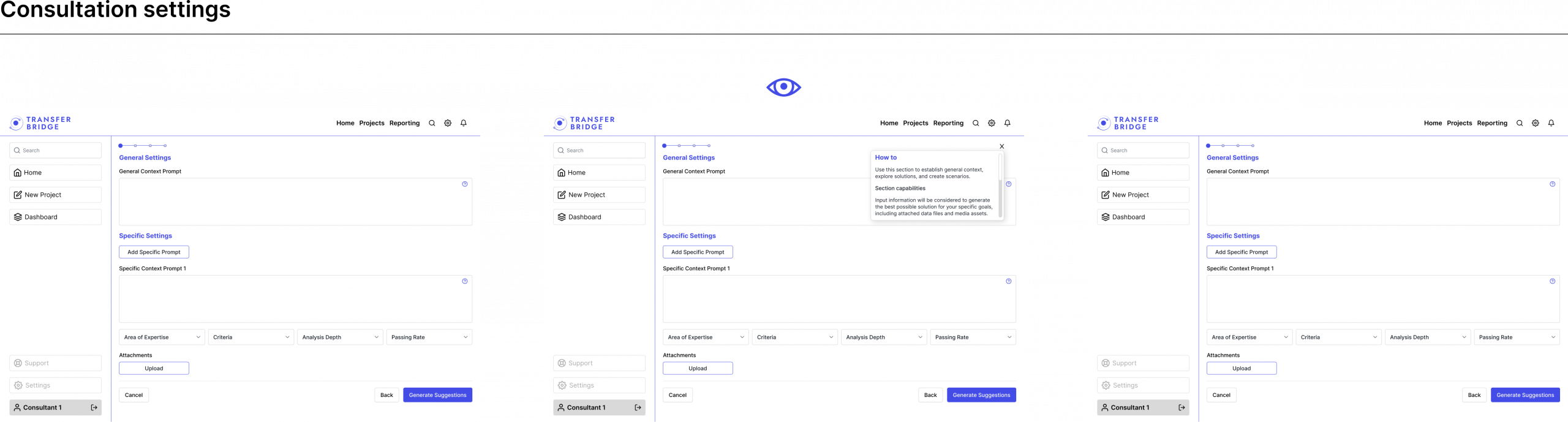
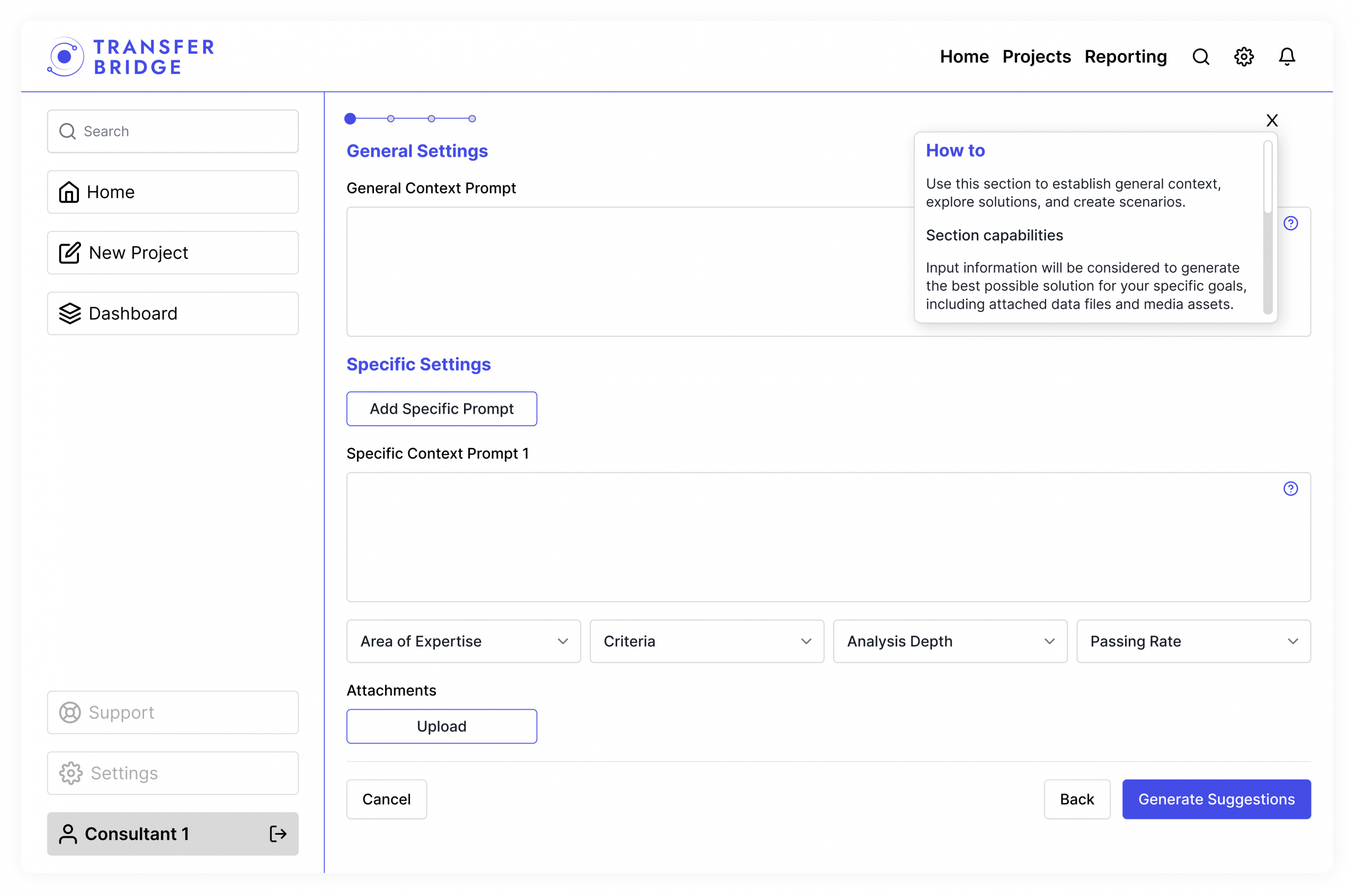
Consultation form
Prompt assistants and tooltips help consultants define granular goals and keep outputs focused through controlled parameters like analysis depth and area of expertise.
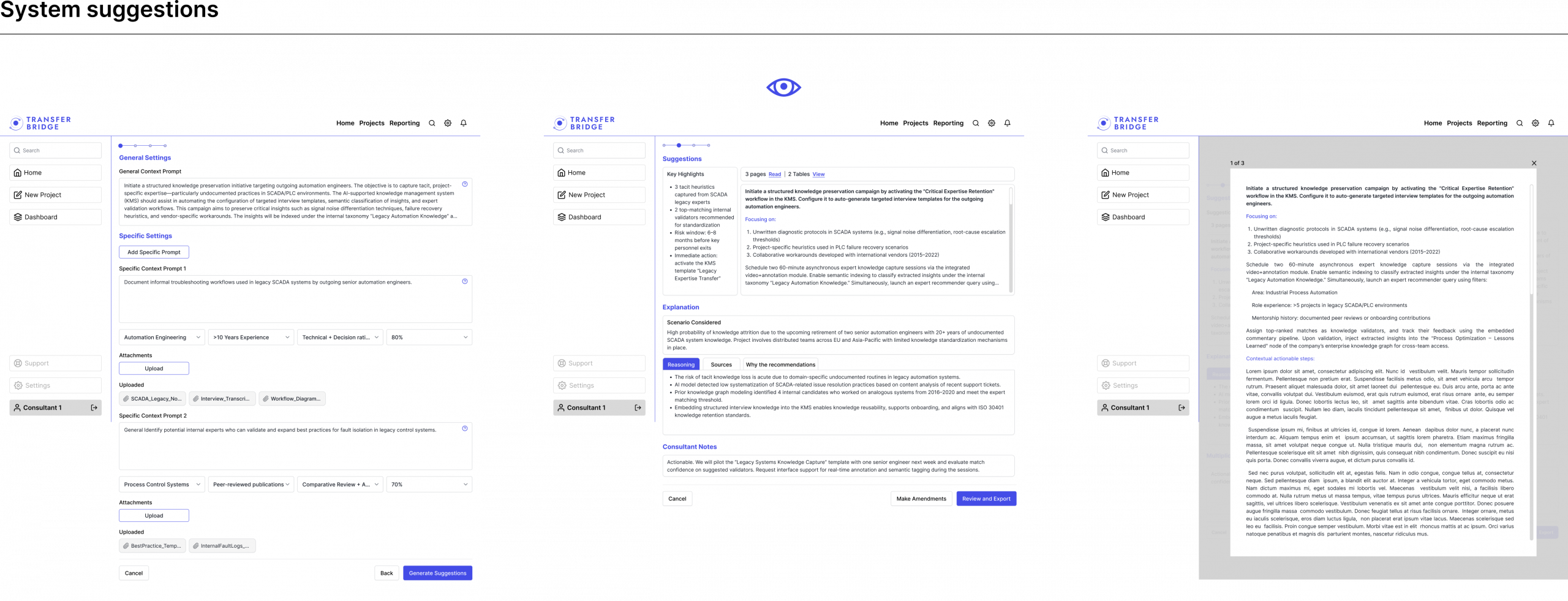
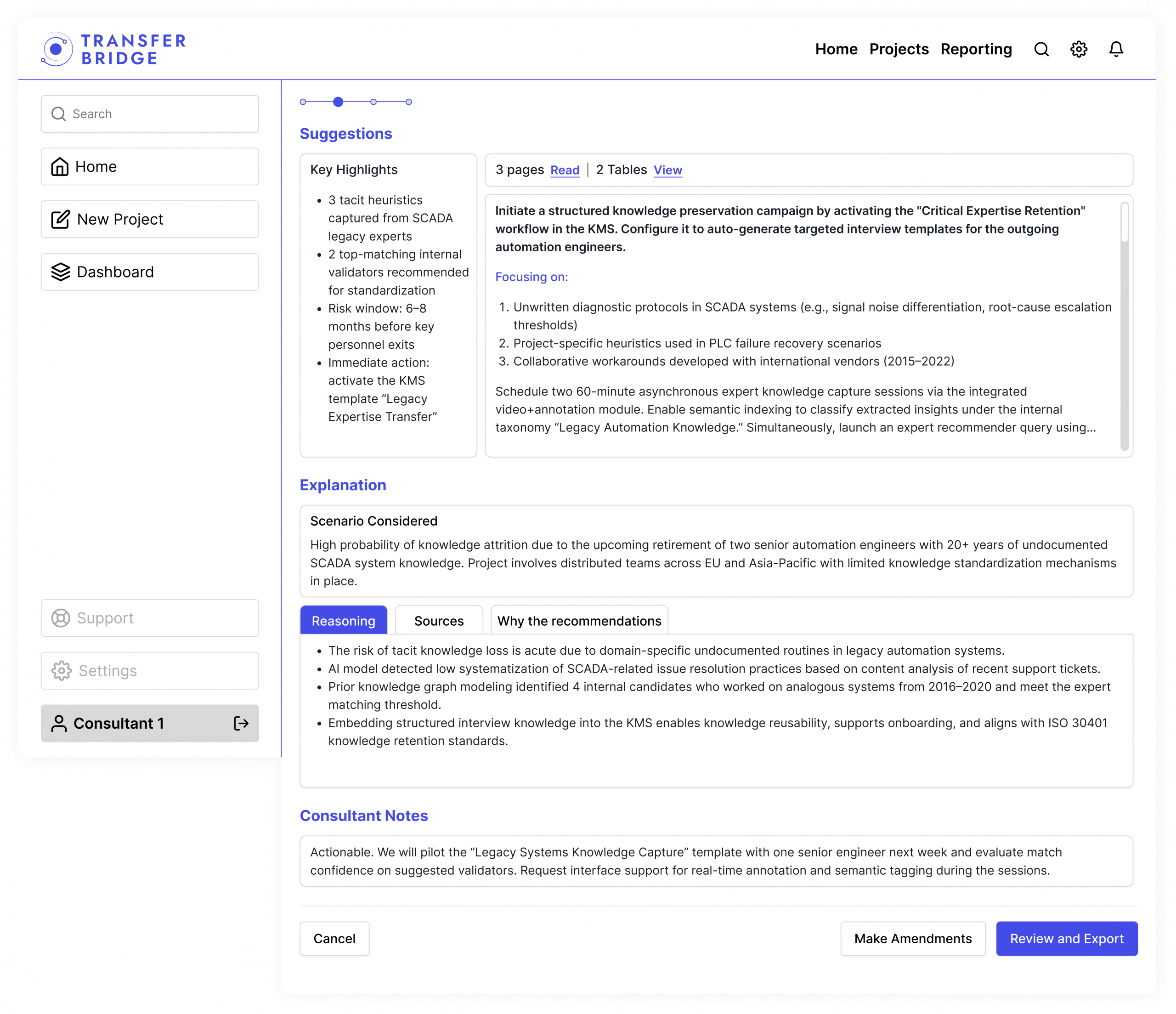
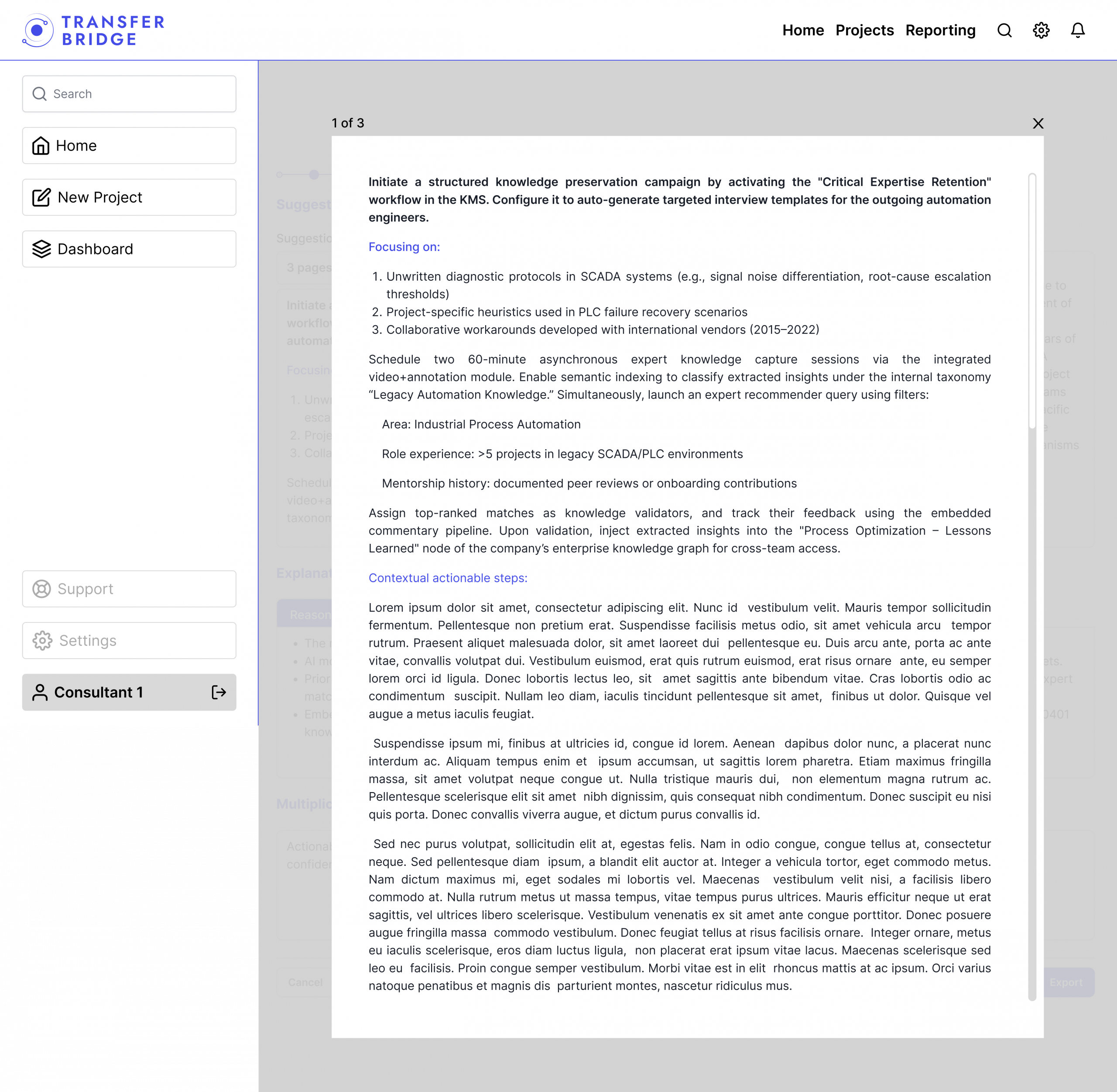
System suggestions
This screen turns AI-generated suggestions into scannable highlights with read and review functionality. It uses content chunking to make dense technical knowledge easier to review at a glance.
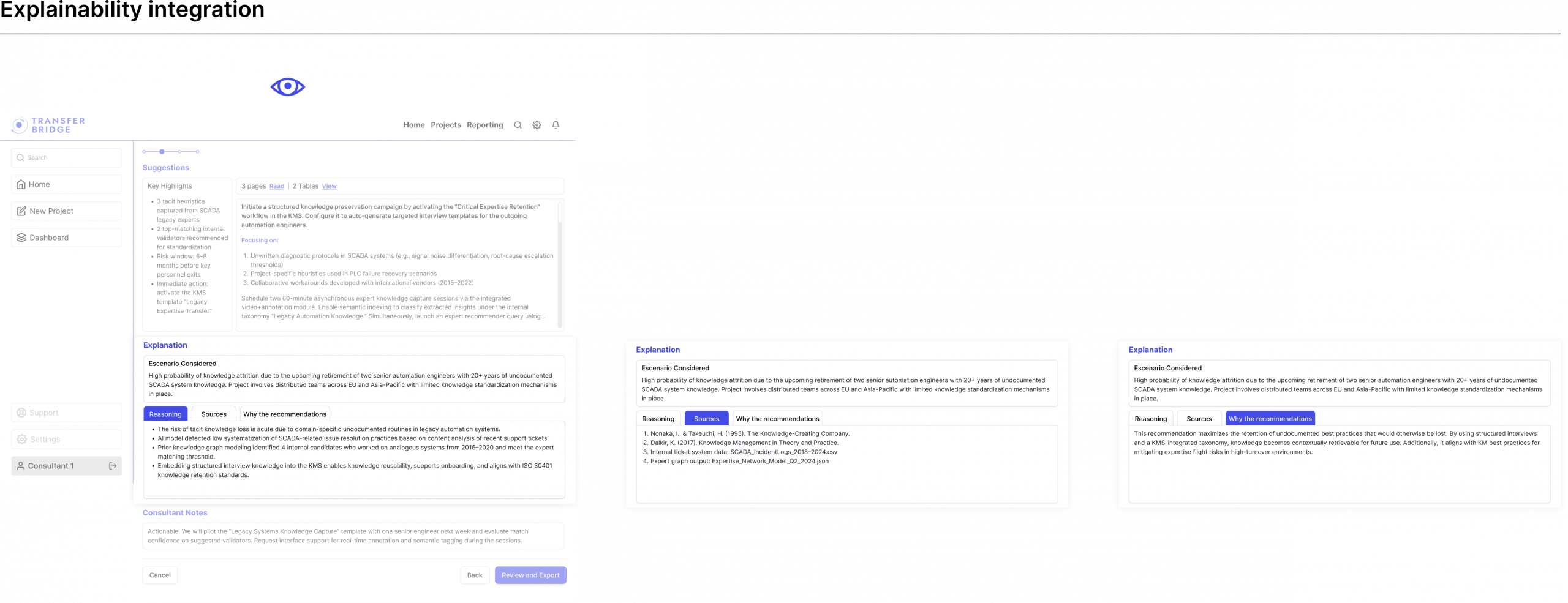
Explainability panel
This three-tab module lifts the black box of AI by showing reasoning, sources, and recommendation logic. It helps experts validate citations and understand the underlying logic, supporting the high-trust workflow needed for professional consulting.
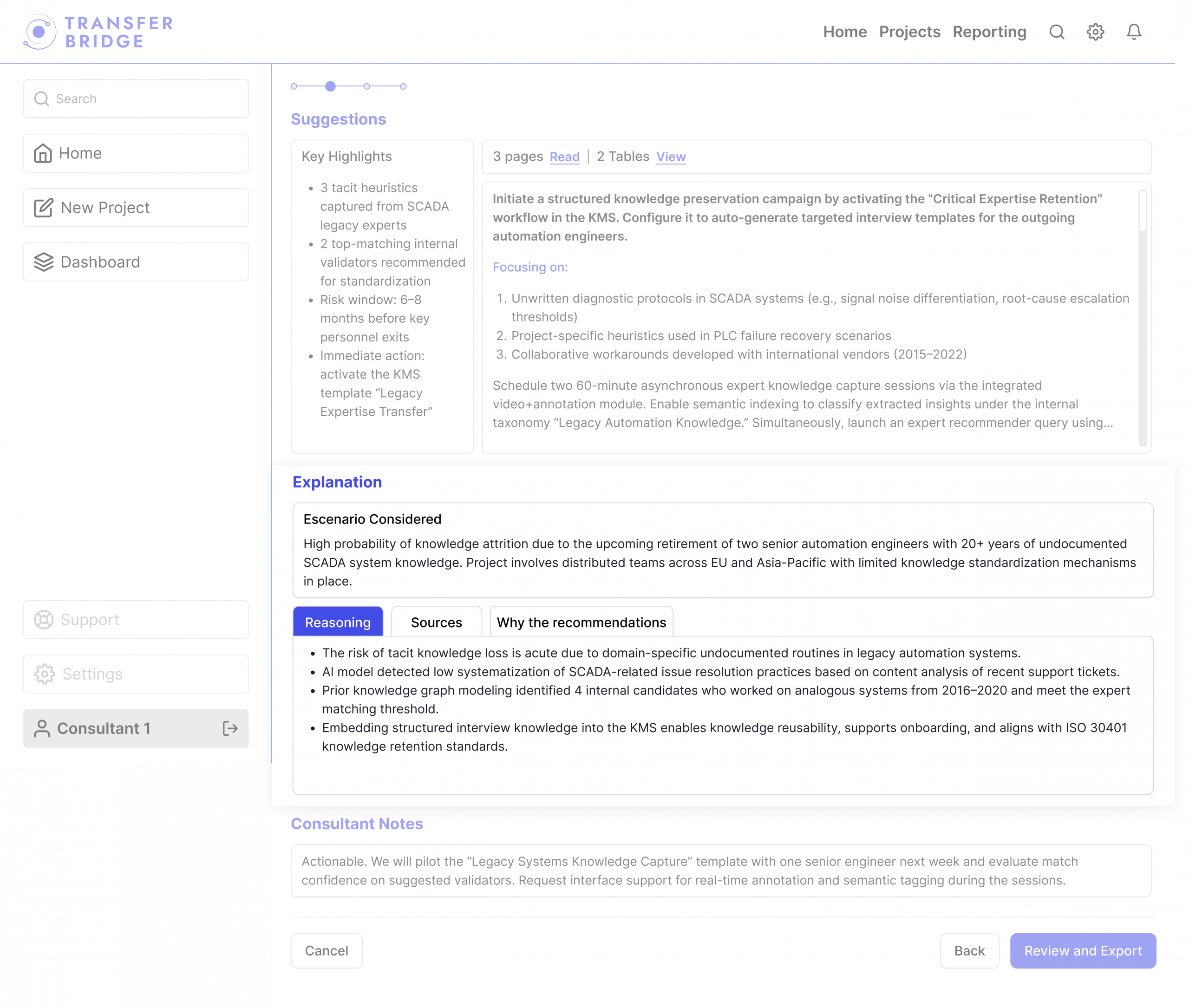
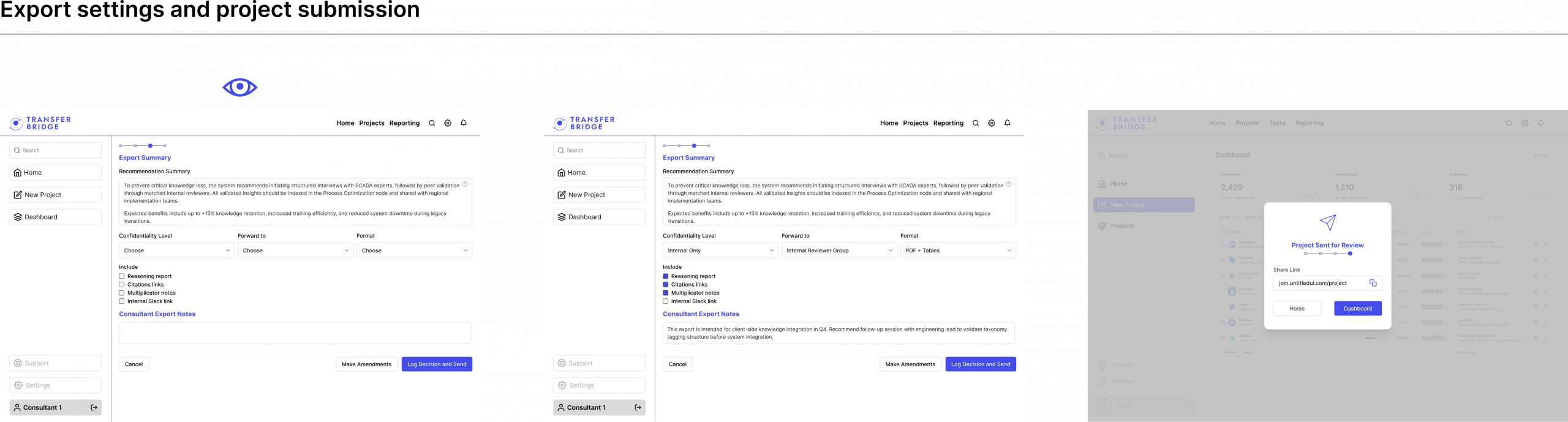
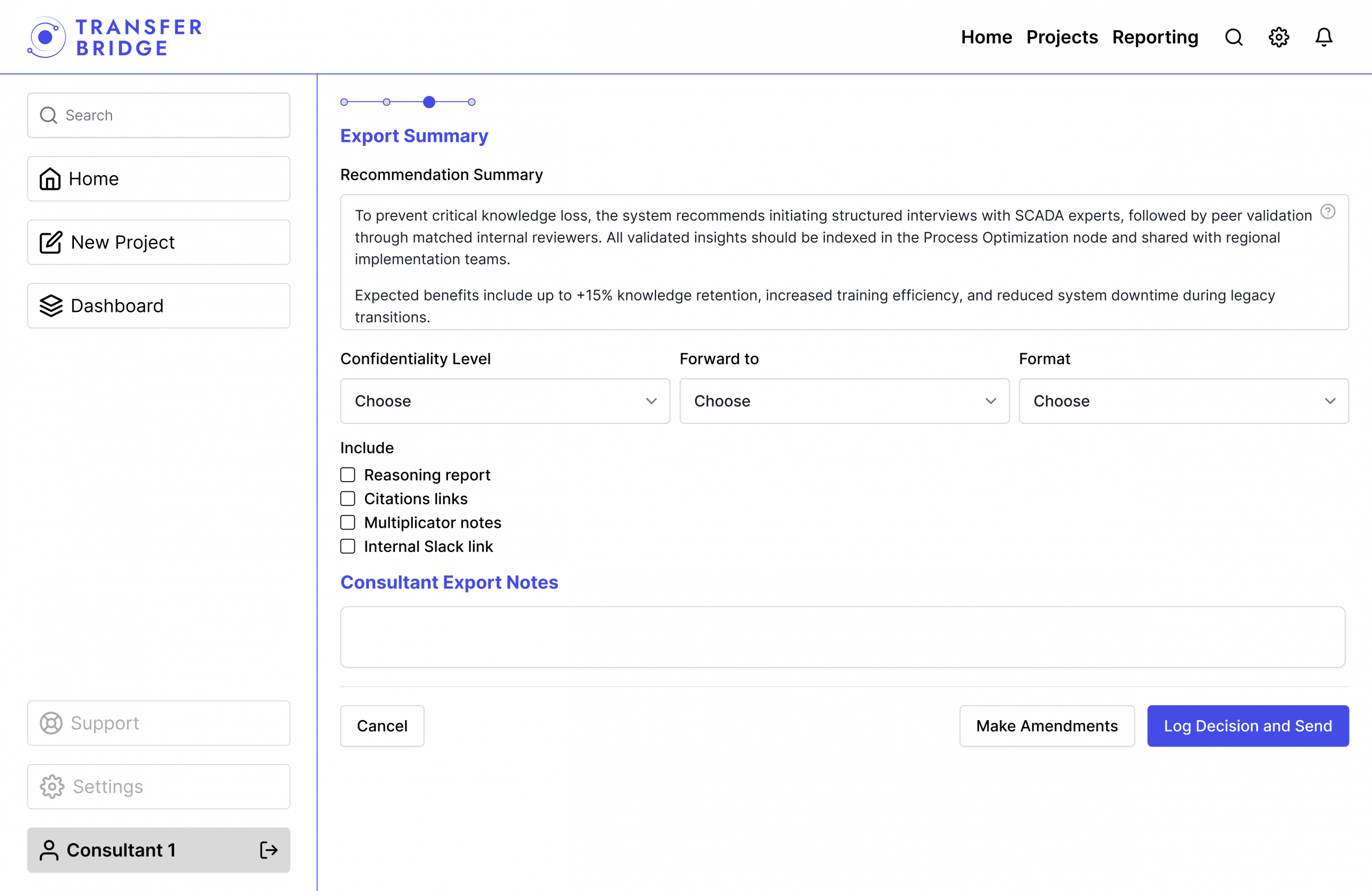
Export configuration form
This screen is where AI suggestions become deliverables. The human in the loop step allows consultants to add their own notes and control which details are shared with the client, helping turn raw output into a more structured report for review or sharing.
Designing for AI and transparency taught me that trust is an interface problem. When users cannot see the reasoning behind a recommendation, no amount of visual polish compensates. The core design challenge was not making the tool look simple, it was making the AI’s logic legible enough for a user to stake their professional judgment and act on it.
Product direction: The research established usability and explainability as the two non-negotiable pillars, shaping the structure and interaction decisions that followed.
Visual design: Findings directly informed hierarchy, navigation patterns, and component behavior, grounding aesthetic decisions in user needs rather than assumption.
Tested prototype: The high fidelity prototype went through usability testing, giving the development team a validated, interaction ready reference to build from.